QuickDoc: PDF Reader Tools
- 4.5
- Rating
- 1.00M
- Installs
- Free
- Price
 Analysis by App-foxy
I approached QuickDoc: PDF Reader Tools as the kind of utility that has to prove itself through repetition, not a single impressive session. A document app can feel useful on the first day simply because it opens a file quickly, but its real test is whether I still want it on my phone weeks later when I need to find, read, or handle a PDF without reaching for a laptop. My experience with this app is that its appeal comes from being a focused tool rather than an oversized office suite. It is free, aimed at everyday document handling, and made by Dev Globeg.
The app sits in the tools category and carries an Everyone age rating, so it is easy to understand who it is meant for: students, commuters, office workers, freelancers, and anyone who occasionally receives a PDF and wants a straightforward way to deal with it. It is available for Android devices running version 8.0 or later. That broad compatibility matters because a document reader is most useful when it can remain installed on an older secondary phone instead of demanding the newest hardware.
Why the first week feels useful
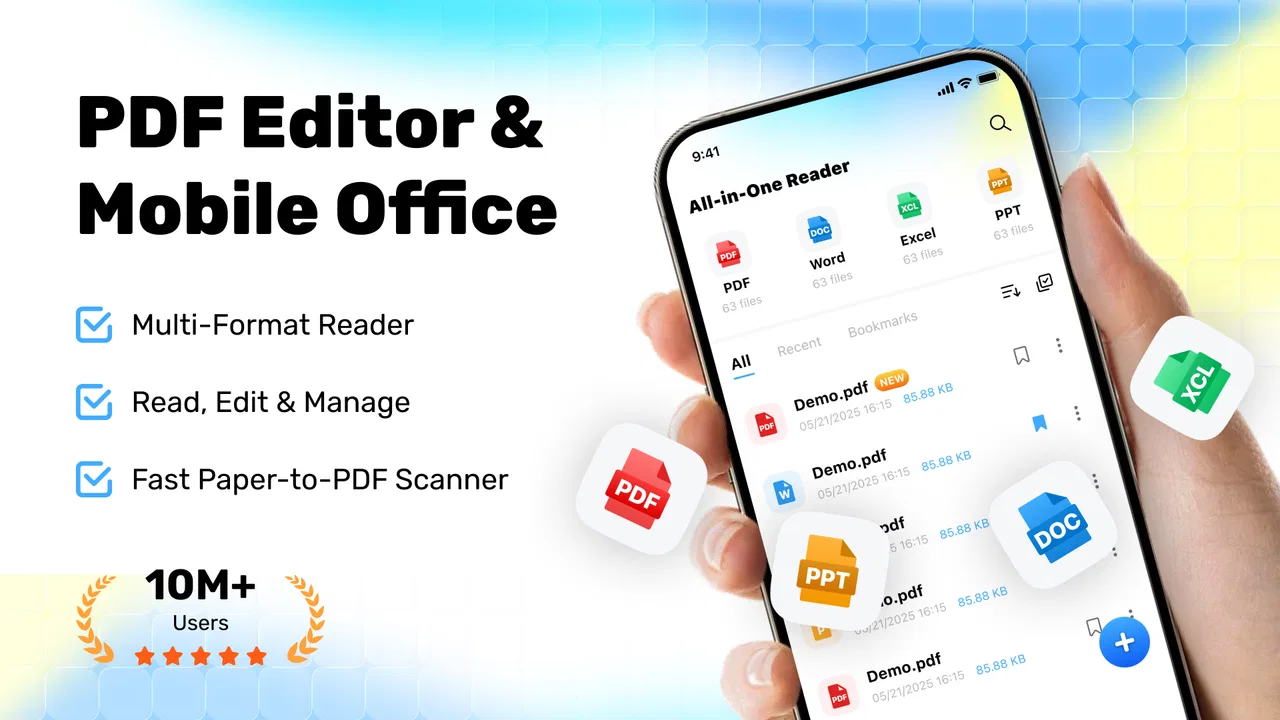
During the first few days, the strongest impression is simplicity. QuickDoc is built around the basic expectation that a PDF should be easy to access and read on a phone. That sounds modest, but it is exactly where many document tools become frustrating: they mix reading with cloud storage, editing suites, account prompts, or features that are irrelevant when I only want to inspect a file.
You May Also Like

 Blood Strike: 2.5 Anniversary
Blood Strike’s Loadouts Turn Every Drop Into a Tactical Gamble
A close look at Blood Strike’s custom loadouts: how fast access to signature weapons reshapes its battle royale rhythm, rewards preparation, and narrows the gap between fights.

 Pandora - Music & Podcasts
Pandora’s Music Is Easy to Start, but Harder to Recover
Pandora’s strength is its low-effort path from a seed to a station. Its weak spot is how much confidence it asks you to place in connection, setup, and quiet recovery.

 8 Ball Pool
 Is Built on Rivalries, Rematches, and Routine
A close look at the rivalries, rematches, shared routines, and unanswered safety questions that turn a quick pool match into a persistent mobile community.

 Samsung Music
’s Quiet Strength Is Playing What You Already Own
Its reach comes less from spectacle than from dependable access to a personal library. That simplicity is both the app’s strongest retention engine and its ceiling.

 AccuWeather: Weather Radar
AccuWeather Review: A Quick, Clear Forecast for Everyday Decisions
For everyday plans, the best forecast is the one you can understand quickly. AccuWeather makes rain timing, radar, and local conditions easy to act on, with a few trade-offs.

 Hill Climb Racing
Why Hill Climb Racing Still Turns Crashes Into One More Run
A tiny car, a bumpy hill and one more upgrade: Hill Climb Racing keeps resurfacing because its simple chaos makes every near-miss feel personal.
More From Our News Desk



I found the app most appealing in short, practical moments. A colleague sends a document in a messaging app, a school handout arrives by email, or I need to check a form while away from my desk. In those situations, the value is not entertainment or deep customization. The value is reducing the number of steps between receiving the file and understanding what it contains.
A realistic everyday workflow is checking a travel confirmation or an appointment document while standing in a queue. I can open the file, read the important section, close it, and continue with my day. That kind of use exposes an important strength: the app does not need to become the center of my digital life to be worthwhile. It can simply be the reliable document tool I reach for when a PDF appears unexpectedly.
The first-week appeal also comes from the absence of a purchase decision. QuickDoc is free, which makes it easy to try alongside an existing reader rather than forcing an immediate replacement. I can keep my usual document habits and see whether this app is quicker or less distracting for routine reading. That low-risk entry point is particularly useful for people who do not work with PDFs every day and do not want to pay for a full productivity package.
Its early reputation is reasonably encouraging. QuickDoc has a 4.3 average from around 2.4 thousand ratings, and it has passed 500 thousand installs. Those figures do not guarantee that it will suit every workflow, but they suggest that the app has found an audience beyond a handful of testers. I also noticed that the current release is version 1.1.1, which gives the app a relatively early-stage feel rather than the settled character of a long-established office platform.
Where it fits better than a full office suite
For simple reading, a dedicated tool can be more comfortable than a large office application. Full suites are valuable when I need to create documents, collaborate, convert files, or manage a broader workspace. They can also feel excessive when I only need to open a PDF and scroll through it. QuickDoc makes more sense as a lightweight companion for those smaller tasks.
That comparison has a clear trade-off. A full suite usually provides a wider range of document actions and may be better for professional workflows that involve editing, signing, or sharing. QuickDoc is the more sensible choice when the main requirement is keeping PDF access uncomplicated. I would not install it expecting a replacement for every document tool on my phone.
It is also worth separating it from a phone’s built-in file viewer. A basic system viewer may be enough if PDFs are rare, but it can be inconsistent from one device to another. A dedicated reader gives me a more intentional place for document work. The benefit is strongest for people who regularly download PDFs and want a familiar tool instead of relying on whichever application happens to claim the file.
Three habits that make the app more useful
My first practical tip is to treat QuickDoc as a reading checkpoint rather than a permanent document archive. When I receive a file, I use it to inspect the document, confirm that it is the right version, and decide what should happen next. If the file needs long-term organization, I move it into the storage or work system I already trust. This keeps the app from becoming a messy substitute for a proper filing method.
Second, I use short sessions deliberately. A phone screen is fine for checking a page, locating a clause, or reviewing a few sections, but it is not automatically the best place for extended reading. Splitting a long document into brief review sessions reduces eye strain and makes the app feel like a practical utility instead of a reluctant laptop replacement.
Third, I keep the app’s role narrow when comparing it with alternatives. If I need a document reader, I judge it on access and reading comfort. If I need to change the contents of a file, I switch to a tool designed for that job. This sounds obvious, but it prevents the common mistake of blaming a focused reader for not behaving like a complete office suite.
What remains valuable after the novelty fades
The month-to-month question is harder. Opening a PDF for the first time is easy; building a lasting habit requires recurring situations. QuickDoc earns continued space on my phone when I receive documents often enough that a dedicated reader saves mental effort. The app is especially suitable for people who deal with school materials, workplace attachments, manuals, receipts, or reference documents on a regular but not necessarily professional basis.
Its recurring value is based on availability rather than constant interaction. I may not open it every day, but I appreciate having a known place for a PDF when one arrives. That is similar to keeping a calculator or scanner available: the app can be quiet for several days and still justify its place when a specific need appears.
The best long-term use is therefore occasional reliability. A student can use it to review reading material between classes. A freelancer can check a client brief before a call. A household can open an instruction manual without searching for a desktop program. In each case, the app earns its place through repeated small wins, not through elaborate features that I might never touch.
I also like the possibility of separating reading from heavier work. When I use a full productivity suite for every document, the basic act of reading can become tangled with editing tools, storage decisions, and account-based workflows. QuickDoc can serve as the first stop: read the document, identify what matters, and only then decide whether another application is necessary.
That said, its long-term value depends heavily on the kind of PDFs a person handles. If someone works with contracts, forms, reports, and marked-up documents every day, a reader alone may feel limiting. In that case, an application with stronger editing, annotation, signing, or document-management capabilities is likely a better primary tool. QuickDoc is more convincing as a dependable reader than as the foundation of a complete paperless office.
Who should keep it installed
I would recommend keeping QuickDoc installed if you frequently receive PDFs but rarely need to modify them. It is a good match for a phone used as a quick reference device, especially when you value a focused interface over a large collection of office features. It also suits people who want a free option and do not want to commit to a paid document ecosystem just to read occasional files.
It is less suitable for users who expect advanced document production. If your normal workflow includes revising text, adding signatures, filling complex forms, comparing versions, or organizing a large professional library, you will probably outgrow it. The app may still be useful for basic viewing, but another solution should handle the central work.
People with very light PDF needs may also decide that their existing system viewer is enough. Installing another app creates a small amount of choice and maintenance, and that is not automatically worthwhile if a document appears only a few times a year. QuickDoc makes the strongest case when PDF use is regular enough to create friction, but not demanding enough to require a full office platform.
Maintenance, friction, and the cost of keeping it around
A useful document app should not create more work than it removes. The maintenance burden here is relatively easy to understand: I need to keep the app available, keep my files sensibly organized, and remember which tool is appropriate for reading versus editing. The app itself cannot solve poor file habits. If I download every attachment and never sort or remove old copies, the surrounding workflow becomes cluttered even if the reading experience remains simple.
My preferred maintenance routine is straightforward. I use the app for immediate access, then delete temporary downloads or place important documents in a clearly named folder. I avoid treating the reader as a backup system. This small distinction matters because a document reader can make files accessible without necessarily replacing dedicated storage, synchronization, or archival tools.
Another maintenance issue is choice overload. Android devices often accumulate several applications capable of opening PDFs. If QuickDoc is installed alongside multiple office suites and file managers, the system may ask which app to use. That can be convenient once the preferred option is established, but it can also slow down the exact moment when I want a document opened quickly. I recommend choosing one default reader for routine viewing and reserving specialized apps for tasks that genuinely need them.
The early version status also affects how I judge long-term confidence. Version 1.1.1 suggests that the product is still developing, so I would pay attention to how consistently it fits my workflow over time. I would not build an entire business process around a lightweight reader without testing it with the types of files I handle most. For casual and personal use, that caution is manageable; for important professional documents, redundancy remains sensible.
Where fatigue can appear
The main source of fatigue is not that the app is difficult to understand. It is that a focused reader can feel incomplete once my needs expand. At first, simplicity is refreshing. Later, if I repeatedly need to perform another action after reading, the extra handoff can become annoying. The same narrowness that makes the app approachable can make it feel limited in a more demanding workflow.
Phone-based reading has its own friction as well. Long PDFs can be tiring on a small display, and repeated zooming or scrolling can make detailed review slower than it would be on a tablet or computer. QuickDoc cannot change the physical limits of mobile reading. I see it as excellent for checking and consulting documents, but I would choose a larger screen for careful study or extensive technical review.
There is also a habit-related risk. Because the app is free and easy to try, it is tempting to keep it installed without deciding what job it actually performs. That creates app accumulation rather than a useful routine. My advice is to judge it after several real document encounters: Did it open the files I needed? Did it make reading more direct? Did I still need another app immediately afterward? The answers reveal more than a first impression.
People who need a single application for every document task may become frustrated. A full office suite is better when convenience means having editing, storage, and sharing in one place. A cloud-centered workflow may be better when access across devices is the priority. A system viewer may be better when PDF use is extremely rare. QuickDoc occupies the middle ground: more intentional than a bare viewer, but narrower than a complete document workspace.
My long-term verdict on QuickDoc
After looking beyond the first-week novelty, I see QuickDoc as a sensible utility with a clear boundary. It earns lasting space when I want a free, focused way to open and read PDFs on an Android device, especially for short sessions and everyday attachments. Its value is quiet and recurring: it reduces friction when a document appears, then gets out of the way.
The app is not the right answer for every document problem. I would choose a more capable alternative for intensive editing, professional signing, complex form completion, or large-scale document management. I would also skip it if my phone already handles occasional PDFs perfectly and I have no recurring need for a dedicated reader. Installing an app only makes sense when it improves an actual habit.
For the right user, that habit is easy to establish. Keep QuickDoc as the first place to inspect incoming PDFs, use another tool when the document needs real changes, and maintain a clean folder system rather than expecting the reader to act as an archive. That workflow respects both its strengths and its limits.
My final recommendation is positive but measured. Dev Globeg has produced a practical tools app that is easy to try, broadly accessible, and useful for ordinary PDF reading. The lasting question is not whether it can impress during a quick test; it is whether it removes enough repeated hassle to justify another icon on the phone. For students, casual document readers, and people who regularly receive PDFs without needing advanced editing, I think it does. Its strongest feature is the disciplined simplicity of having one clear job and making that job easy to return to.
FAQs for QuickDoc: PDF Reader Tools
01Is QuickDoc: PDF Reader Tools free to use?
QuickDoc offers a free version with basic features suitable for everyday PDF viewing and minor editing tasks. However, for advanced functionalities like OCR, extensive editing tools, and cloud storage integration, users might need to upgrade to the premium version. Subscription details can be found in the app's settings or the app store description.
02What file formats does QuickDoc support?
QuickDoc primarily focuses on PDF files, providing comprehensive tools for reading, editing, and annotating. Additionally, it supports other popular document formats such as DOC, DOCX, and TXT, allowing users to convert these into PDFs easily. This versatility makes it a handy tool for managing various document types in one application.
03How secure is QuickDoc for handling sensitive documents?
QuickDoc prioritizes user privacy and document security. It includes features like password protection and encryption for sensitive files. Furthermore, documents stored in the app are kept locally unless users opt to sync with cloud services, ensuring that unauthorized access is minimized.
04Can QuickDoc be used offline?
Yes, QuickDoc is designed to function offline, allowing users to view and edit PDFs without an internet connection. However, certain features such as cloud syncing or online collaboration tools require an active internet connection. This offline capability is particularly beneficial for users who frequently work on the go.
05Does QuickDoc offer cloud integration?
QuickDoc integrates seamlessly with popular cloud services such as Google Drive, Dropbox, and OneDrive. This feature enables users to easily access and manage their documents across different devices. Users can also save edited documents directly to their preferred cloud service, ensuring that their files are always up-to-date and accessible.
Pros
- Fast loading of large PDF files.
- User-friendly interface with easy navigation.
- Annotation tools for notes and highlights.
- Offline mode for reading without internet.
- Compatible with cloud storage services.
Cons
- Limited free version features.
- Occasional ads in the free version.
- No support for other file formats.
- Editing tools require a premium upgrade.
- Complex PDFs can be slow to render.

QuickDoc: PDF Reader Tools
Gallery